

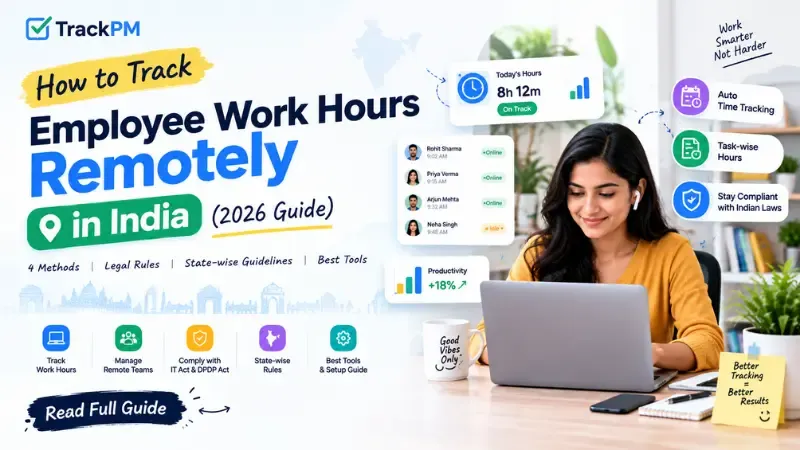
How to Track Employee Work Hours Remotely in India (2026 Guide)
Over 4.5 million Indian knowledge workers now operate remotely, but tracking their hours accurately, legally, and without damaging trust remains a challenge. This 2026 guide covers four practical tracking methods, the legal framework under the IT Act 2000 and DPDP Act 2023, state-specific rules, and how to connect tracked hours to payroll.
Managing a remote team in India has become standard practice. According to a 2025 NASSCOM survey, over 4.5 million Indian knowledge workers now operate under some form of remote work arrangement. With 57% of Indian companies running hybrid models, the question is no longer whether to support remote work — it is how to track it accurately, legally, and without damaging team trust.
This guide covers four practical methods for tracking remote employee work hours in India, the legal framework you need to follow, state-specific rules, and how to choose the right approach for your team size and culture.
Why Remote Hour Tracking Fails for Most Indian IT Companies
Before the solution, the problem. Most Indian IT companies that struggle with remote hour tracking share the same root issues:
- Manual timesheets are filled retrospectively. Employees remember Monday's hours on Friday. Memory is unreliable. The result is rounded numbers, inflated hours, and zero granularity on what the time was actually spent on.
- WhatsApp check-ins create no audit trail. "I started at 9:30" in a WhatsApp message cannot be cross-referenced with project output, cannot be used in a payroll dispute, and cannot be reported to a client asking for time-and-material billing data.
- There is no connection between hours worked and work done. An employee can be "online" for 9 hours and produce 2 hours of output. Without task-level tracking, a manager has no way to distinguish productive time from idle time — and no basis for a performance conversation when delivery slips.
- Payroll and hours are in separate systems. The HR manager manually reconciles timesheets with attendance at month-end. Every reconciliation introduces errors. Every error is a potential payroll dispute.
The solution is a structured tracking system — chosen for your team's context and implemented with clear, upfront communication.
The Legal Framework for Remote Employee Monitoring in India
Before implementing any tracking tool, understand what Indian law permits.
IT Act 2000 and employee monitoring
Employers in India have the legal right to monitor activity on company-owned devices during working hours. Section 69A of the IT Act permits monitoring of internet usage and digital activities on employer-issued equipment. However, the monitoring must be proportionate, disclosed to employees in advance, and tied to a legitimate business purpose.DPDP Act 2023 (Digital Personal Data Protection Act)
India's data protection law requires organisations to document what data they collect, why they collect it, and how it is stored and deleted. Any employee monitoring software must be mentioned in the employment agreement, with the employee's informed consent documented. Data collected through monitoring must not be used for purposes beyond what was disclosed.Code on Wages 2019
As of November 2025, India's four labour codes are in force. The Code on Wages applies to remote workers without exception. If remote employees work beyond standard hours, overtime rules apply — and without accurate tracking, employers face disputes over unpaid overtime.State-specific rules
Karnataka (Bengaluru IT sector) and Telangana (Hyderabad) have amended their Shops and Establishments Acts to accommodate IT/ITeS sector flexible working hours and remote work. A company with offices in Maharashtra, Karnataka, and Telangana may need separate monitoring policy configurations for each state.The practical rule: Implement monitoring with a documented policy, have employees acknowledge it in writing (in the employment agreement or a separate addendum), limit data collection to working hours on company devices, and give employees visibility into their own tracked data.
4 Methods to Track Remote Employee Work Hours in India
Method 1 — Manual Timesheet (simplest, lowest accuracy)
Employees fill in daily or weekly timesheets recording start time, end time, and a brief note on what they worked on. Submitted to the manager or HR at week-end.Best for: Teams of under 10 people, creative agencies, senior consultants who self-manage. Problems: Retrospective entry reduces accuracy. No way to verify. Cannot be used for client billing with confidence. Does not connect to payroll automatically. Tools: Google Sheets, Excel, Notion database.
Method 2 — App-Based Clock-In / Clock-Out (simple, reliable for attendance)
Employees mark their start and end of day through a mobile app or web portal. The system records the exact timestamp. Managers see real-time attendance — who is online, who has checked in, who has not.Best for: Teams that need attendance tracking for payroll without task-level detail. Works well for remote teams where "presence" is the primary metric. Problems: Records when people are logged in — not what they are working on. Does not show idle time vs active time. Tools: TrackPM attendance module, Keka, greytHR.
Method 3 — Automatic Time Tracking with Screenshots (highest visibility)
A desktop application runs in the background and automatically records which applications and websites are active, captures screenshots at set intervals (every 5–15 minutes), detects idle time when the computer is not in use, and logs total active hours per day. No manual entry required.Best for: Remote IT teams where managers need visibility into how hours are actually being spent. Client-facing IT service companies that bill on time-and-material contracts. Teams where trust needs to be established between management and remote employees. Legal note: Requires disclosed monitoring policy and employee acknowledgement. Screenshots must be on company-issued devices only. Tools: TrackPM time tracker, Hubstaff, Time Doctor, DeskTrack.
TrackPM's approach: Screenshots are taken every 10 minutes by default (configurable). Employees can see their own screenshots and productivity scores through their own dashboard — this transparency reduces the "surveillance" perception and builds accountability rather than resentment.
Method 4 — Task-Level Time Tracking (highest insight, best for billing)
Employees start a timer when they begin a task and stop it when they finish. Every hour is logged against a specific project and task — not just a general daily total. At the end of a sprint, the system shows exactly how many hours went into each task across the team.Best for: IT service companies billing clients on time-and-material contracts. Product teams that want to understand where engineering time is actually going. Any team where the question "how long does a typical [feature type] take us?" matters for planning. Problems: Requires discipline to start and stop timers. Works best when combined with method 3 (automatic tracking as a fallback for forgotten timer starts). Tools: TrackPM (task-level time logging integrated with Kanban/Scrum boards), Toggl, Harvest.
Connecting Hours to Payroll — Where Most Teams Drop the Ball
The tracking method you choose only creates value if the data connects to payroll accurately. This is where most Indian IT companies lose the efficiency they built with tracking.
The manual process — export timesheet CSV → cross-reference with approved leave → calculate payable days → enter into payroll software — takes 2–3 days of HR time every month and introduces errors at every transfer step.
The integrated approach: when attendance, leave, and payroll live in the same system, the month-end process collapses to under 30 minutes. Payable days are calculated automatically from attendance records. LOP is applied for unapproved absences. Overtime (if applicable) is flagged from time logs. Salary is computed and salary slips are generated with one click.
TrackPM's time tracking software connects directly to attendance and payroll in the same platform — so hours tracked become payroll data automatically, without any manual CSV export or data re-entry.
How to Introduce Remote Tracking Without Destroying Team Trust
Implementation matters as much as the tool. Teams that resist monitoring usually do so because monitoring was introduced without explanation, appeared suddenly, or felt like a punishment for past performance rather than a system improvement.
Tell the team before you implement
Send a clear message explaining: what you are tracking (hours and/or screenshots), what you are not tracking (personal browsing outside work hours, keystrokes), why you are doing it (client billing accuracy, payroll precision, productivity visibility), and what employees can see about their own data.Give employees access to their own data first
Before managers see any dashboards, let employees see their own time logs, productivity scores, and screenshots. When employees understand what is being recorded, the tool becomes a personal productivity mirror rather than a surveillance system.Do not use the data punitively in the first 30 days
The first month is a calibration period. Teams that are being tracked for the first time often have lower initial productivity scores simply because the baseline has never been measured before. Use the first 30 days to understand patterns — not to hold people accountable for numbers that have no historical context.Frequently Asked Questions
Is it legal to track remote employee working hours in India in 2026?
Yes. Employers in India have the legal right to monitor activity on company-owned devices during working hours, provided employees are informed in advance and the monitoring policy is documented. The IT Act 2000, the DPDP Act 2023, and applicable state Shops and Establishments Acts collectively govern employee monitoring. The key requirements are: written policy, employee acknowledgement, data limited to working hours, and employees having access to their own tracked data.What is the best software to track remote employee hours in India in 2026?
For Indian IT companies, TrackPM offers the most integrated solution — combining automatic time tracking with screenshots, task-level hour logging, attendance management, and payroll in one INR-priced platform. For time tracking only, Hubstaff and Time Doctor are capable tools priced in USD. DeskTrack is an India-based alternative with local support. The best choice depends on whether you need time tracking alone or as part of a broader HR and project management system.How do I track work hours for remote employees who work flexible hours?
Flexible hours tracking works through task-level time logging rather than fixed clock-in/clock-out. Employees log time against tasks as they work — whether that is 6:00 AM to 2:00 PM or 11:00 AM to 7:00 PM. The total hours logged per day and per week are tracked regardless of the schedule. TrackPM supports flexible schedule configurations — you set the expected daily hours target, and the system measures against that rather than a fixed start time.Does overtime apply to remote IT employees in India?
Yes. The Code on Wages 2019 applies to remote workers without exception. If remote employees work beyond standard hours, overtime pay rules apply under the code and the applicable state Shops and Establishments Act. The standard overtime rate under most state acts is double the ordinary wage rate for hours worked beyond the threshold. Accurate time tracking is essential for identifying and compensating overtime correctly — without it, employers face disputes and potential compliance risk.How many hours per day do Indian remote IT employees typically work?
According to a 2025 NASSCOM workforce survey, Indian remote IT employees average 8.5–9.2 hours of logged activity per day, compared to 7.8–8.4 hours for office-based counterparts. However, the distinction between "logged hours" and "productive hours" is significant — idle time accounts for approximately 15–20% of total logged time in teams without task-level tracking. Teams with task-level tracking consistently show higher output per hour than teams measuring only total hours logged.Conclusion
Remote hour tracking works when it is legal, transparent, and connected to payroll — not when it is a surveillance exercise bolted on after trust has already broken down. Choose the method that matches your team's context, disclose it upfront, and let employees see their own data first. TrackPM's time tracker brings automatic tracking, task-level logging, attendance, and payroll together on one platform built for Indian compliance.