Time Tracker Software
Last Updated: November 2026
Track time against real tasks, with screenshots and idle detection when you need them. Employees can see everything that is recorded about them.
Time Tracker Software
Most teams have a rough idea of where their hours go. A time tracker turns that into real numbers: hours per task, per project and per person, without anyone filling in a timesheet at the end of the week.
What Is Time Tracker Software?
It's a small app that records how long people spend on each task. Instead of guessing on Friday what they did on Tuesday, the hours are logged as they work.
Why it helps
- You know which projects actually take the most time
- Client bills are based on logged hours, not estimates
- Managers can see who's overloaded before it becomes a problem
- Attendance and payroll use the same data
Fair to Employees
People are more comfortable with tracking when they can see what's being recorded. In TrackPM, employees see their own time logs and every screenshot taken of their screen.
- Start and stop the timer on a task with one click
- Screenshots only while the timer is running
- Add manual time for meetings and offline work
- See your own daily and weekly totals

The Desktop Tracker
Once the timer is running, the TrackPM desktop app works in the background on Windows, macOS and Linux.
- Logs time against the task you picked
- Notes which apps and windows you use, including browser tabs
- Asks if you're still working after a stretch of no keyboard or mouse activity
- Sends everything to TrackPM, so there's no timesheet to fill in
Screenshots
If you need proof of work, for remote staff or for client billing, turn on screenshots. Your admin sets how often they're taken; the default is every five minutes.
- Backs up the hours you bill to clients
- Helps remote managers see what people are working on
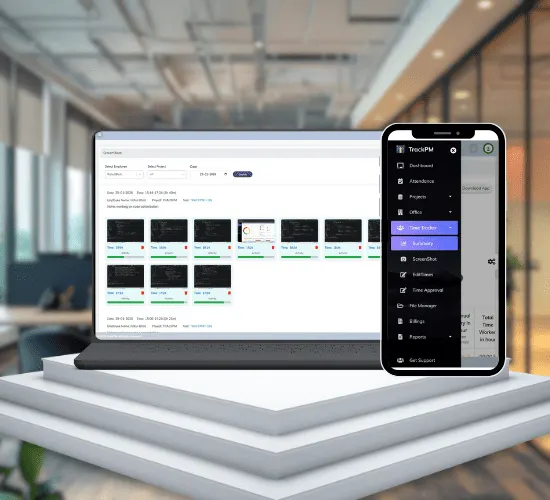
- Employees can see every screenshot of their own screen
Tell your team about screenshots before you switch them on, and put it in writing.

For Remote Teams
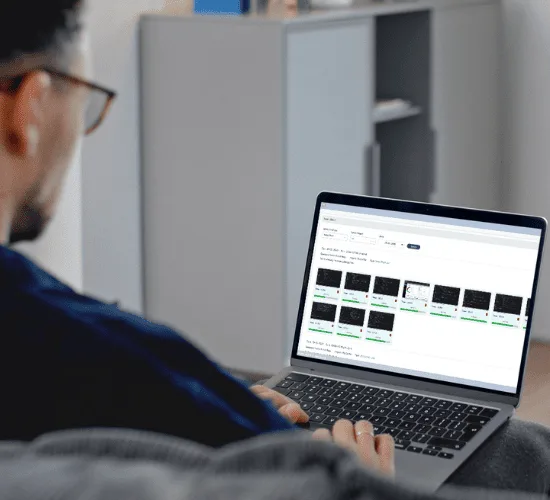
When people work from home, it's hard to tell what's moving and what's stuck. Time logs and the project board give managers that picture without daily check-in calls.
Because a day with tracked time counts as attendance, remote staff don't need to punch in anywhere else.
Tied to Your Projects
The tracker uses the same tasks as your Kanban and Scrum boards, so time is never logged against a vague "work" bucket.
- Assign tasks on the board
- Track time against those exact tasks
- See hours per project and per person
- Approve, edit or reject time before it counts

Reports
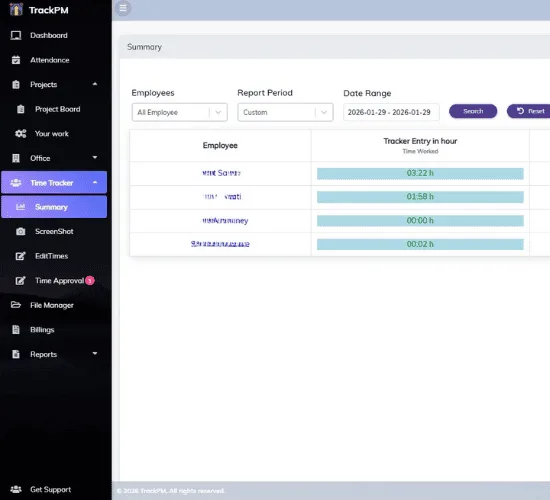
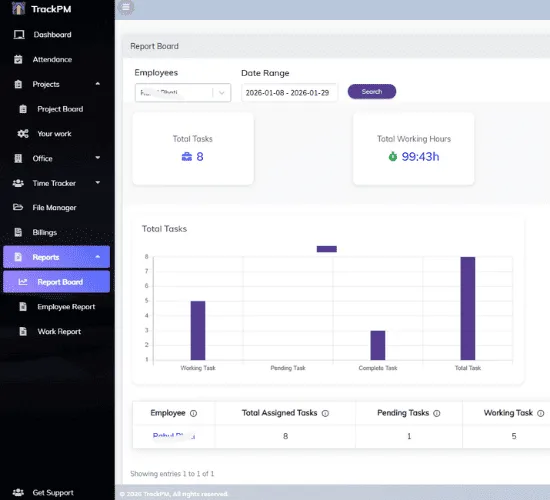
The time summary shows how tracked time was spent over any date range.
- Hours by person, project and task
- Which apps and windows were in use
- Idle time
- Screenshots for any day
Use it to spot overloaded people and tasks that take longer than planned.
Time Tracking for IT Companies
IT companies usually need time tracking for two reasons: billing clients and planning sprints. TrackPM covers both.
- Hours per client project, ready for your invoice
- Screenshots to back them up if a client asks
- Time logged against sprint tasks


Free on the Monthly Plan
Time tracking costs nothing extra on TrackPM's monthly plan. You pay the $5 platform fee and only pay more if you turn on other modules, like HR or extra storage.
- Quick to install
- No IT team needed
- 30-day free trial, no credit card
Why Teams Choose TrackPM
One app instead of three
Time tracking, project boards and HR live together, so the numbers already match.
Secure
Data is hosted on AWS with encryption, and access depends on each person's role.
Easy to pick up
Pick a task, press start. Most people don't need any training.
Support in India
Our support team is in India and works Indian business hours.
What Changes When You Track Time
- Fewer billing disputes with clients
- Fewer attendance and payroll mistakes
- Better estimates for the next project
- Less time spent asking people for updates
Who It's For
- IT and software companies
- Digital agencies
- Remote and hybrid teams
- Consultants who bill by the hour

Get Started
Start a 30-day free trial for up to 2 users, no credit card needed. Install the desktop app, pick a task and press start. Or book a demo and we'll walk you through it.
Explore other features
Everything you need to manage your workspace in one place