Hubstaff Alternative in India for IT Teams
Last Updated: November 2026
Hubstaff is a good time tracker. But it doesn't run your projects, attendance or payroll, so most Indian IT companies end up paying for two or three other tools as well. Here's how TrackPM compares.
Hubstaff does time tracking well, and plenty of Indian teams use it. The trouble starts when you also need project boards, attendance and payroll. Hubstaff doesn't cover those, so you end up with several tools and several bills.
This page compares the two on features and price, and says where Hubstaff is still the better choice. TrackPM is our product, so keep that in mind.
Why Indian IT Teams Look for a Hubstaff Alternative
The same four complaints come up again and again:
- The cost adds up. Hubstaff's entry plan starts at about $5 per user a month, and the plans with more reporting and payroll features cost several times that. For a 20-person team, that's a real line item, before you add any other tools.
- No project boards. Hubstaff tracks time against tasks, but it has no Kanban or Scrum boards or sprints. Most teams still need a separate project management tool, with its own login.
- No Indian HR. There's no attendance or leave management, and its payroll doesn't handle PF or ESI. You still need an HR tool for payroll.
- No asset tracking. There's nowhere to record which laptop each person has.
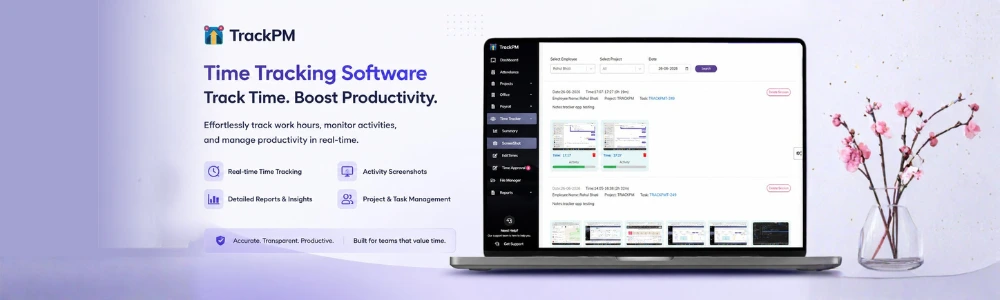
TrackPM puts time tracking, project boards, attendance, leave and payroll in one place.
TrackPM vs Hubstaff: Feature Comparison
| Feature | TrackPM | Hubstaff |
|---|---|---|
| Time tracking | ✓ Timer plus manual entries | ✓ Timer plus manual entries |
| Screenshots | ✓ Interval set by admin | ✓ Configurable |
| Idle detection | ✓ Yes | ✓ Yes |
| App and window tracking | ✓ Yes | ✓ Yes |
| Time approvals | ✓ Yes | ✓ Yes |
| Desktop app | ✓ Windows, macOS, Linux | ✓ Windows, macOS, Linux |
| Time tracking on mobile | ✗ Not yet | ✓ Yes |
| GPS tracking | ✗ Not included | ✓ Yes |
| Kanban board | ✓ Yes | ✗ Not included |
| Scrum board and sprints | ✓ Yes | ✗ Not included |
| Task management | ✓ Yes | ✓ Basic |
| Attendance | ✓ Yes | ✗ Not included |
| Leave management | ✓ Yes | ✗ Not included |
| Holiday calendar | ✓ Yes | ✗ Not included |
| Payroll with PF and ESI | ✓ Yes | ✗ No Indian statutory payroll |
| IT asset tracking | ✓ Yes | ✗ Not included |
| File storage | ✓ On AWS | ✗ Not included |
| Pricing | Platform fee plus per-user charges; time tracking free | Per user, per month |
| India-based support | ✓ Yes | ✗ No |
| Free trial | ✓ 30 days, no card | ✓ Yes |
TrackPM vs Hubstaff: Pricing
Hubstaff charges per user, in US dollars, starting at about $5 a user per month on annual billing. Higher plans cost more. That pays for time tracking only.
For a 20-person team, using approximate list prices:
- Hubstaff Starter: about $100 a month on annual billing, or $140 monthly.
- Time Doctor Basic: about $133 a month on annual billing, or $160 monthly.
- Either one is before a project tool and a separate tool for attendance, leave and payroll. Convert at today's rate.
- TrackPM for the same team: about $25 a month ($5 platform fee plus $1 per user), plus GST, with project boards, time tracking, attendance, leave and payroll included. Storage above 1 GB and asset management are extra.
On TrackPM's monthly plan, time tracking and project management are free. You pay a $5 platform fee plus per-user charges for HR, and small usage charges for storage and assets. There's no annual contract or minimum number of seats. The full breakdown is on our pricing page.
Which Should You Choose?
TrackPM is a better fit if you:
- Are an IT company or startup with 5 to 200 people
- Want time tracking and project boards in the same tool
- Need attendance, leave and payroll without buying an HR system
- Want to know which laptop each person has
Hubstaff is a better fit if you:
- Have field staff and need GPS tracking or geofencing
- Need people to track time from their phones
- Pay staff outside India through Hubstaff's payroll integrations
- Only need a simple time tracker for two or three people
How to Switch from Hubstaff to TrackPM
- Export your Hubstaff data. Download your time logs and project history as CSV from Hubstaff's reports, so you have a record.
- Set up TrackPM. Sign up at console.trackpm.com/register, add your team, create your projects and boards, and set your attendance and leave rules.
- Run both for a week. Have the team install the TrackPM desktop tracker while Hubstaff is still running. Once you're happy with the numbers, switch Hubstaff off.
Frequently asked questions
Try TrackPM with Your Own Team
30-day free trial for up to 2 users. No credit card required.